
How to Turn Off RCS Chats in Google Messages
RCS (Rich Communication Services) is a modern upgrade to SMS, offering features like read receipts, typing indicators, and high-quality media sharing. But if you’re facing delivery problems, switching to a new device, or simply prefer plain SMS, you may want to turn it off.
💡 Why You Might Want to Disable RCS
If you use the Google Messages app and RCS (chat features) is enabled, the app will, by default, try to send messages via RCS.
- This is not controlled by SmsManager — SmsManager can only send traditional SMS.
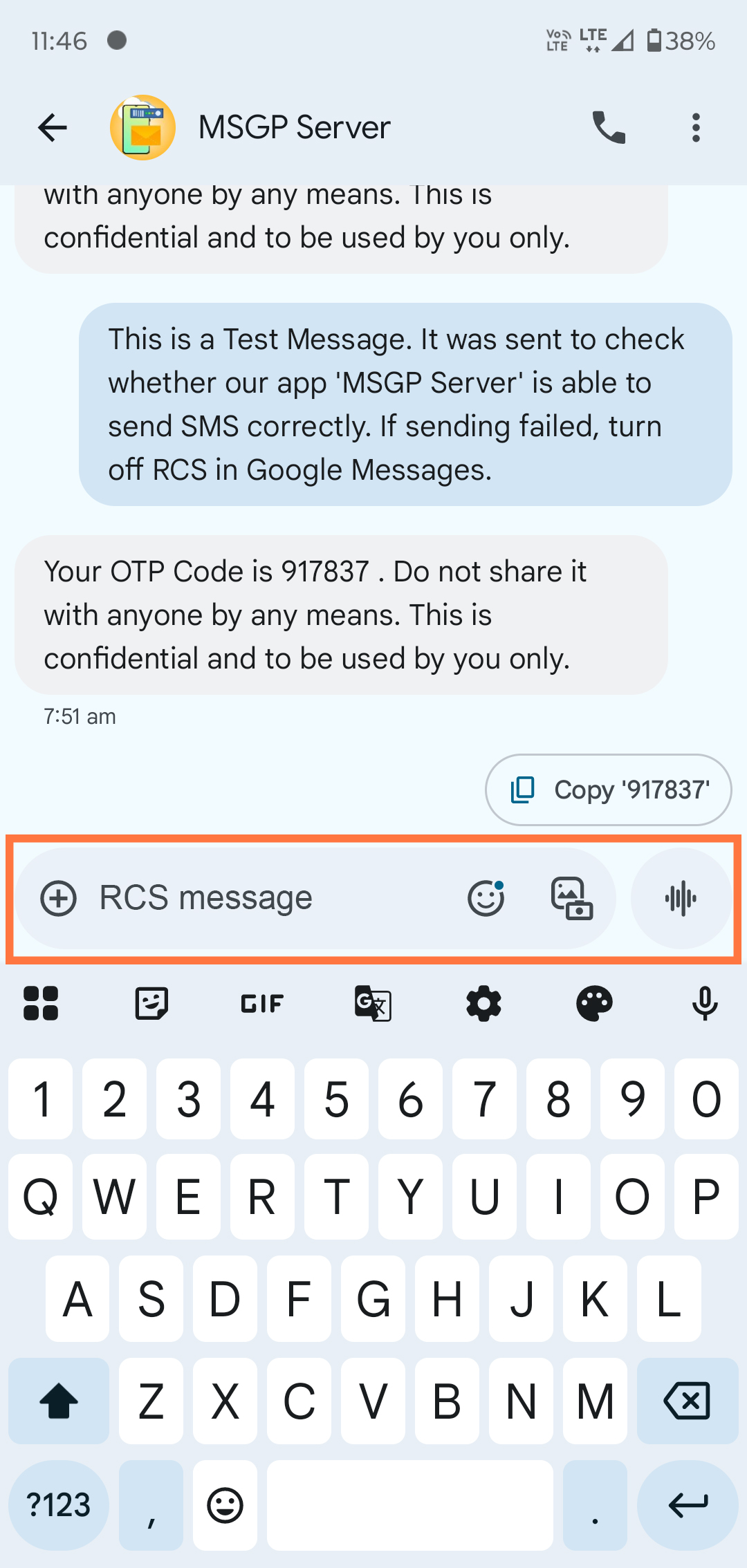
- If someone is offline on RCS, the app is supposed to fall back to SMS/MMS. However, when sending from a third-party app, that fallback often fails.
- This is because RCS messages use Google Messages’ internal protocol, not the standard Android API.
🔧 Steps to Disable RCS Chats:
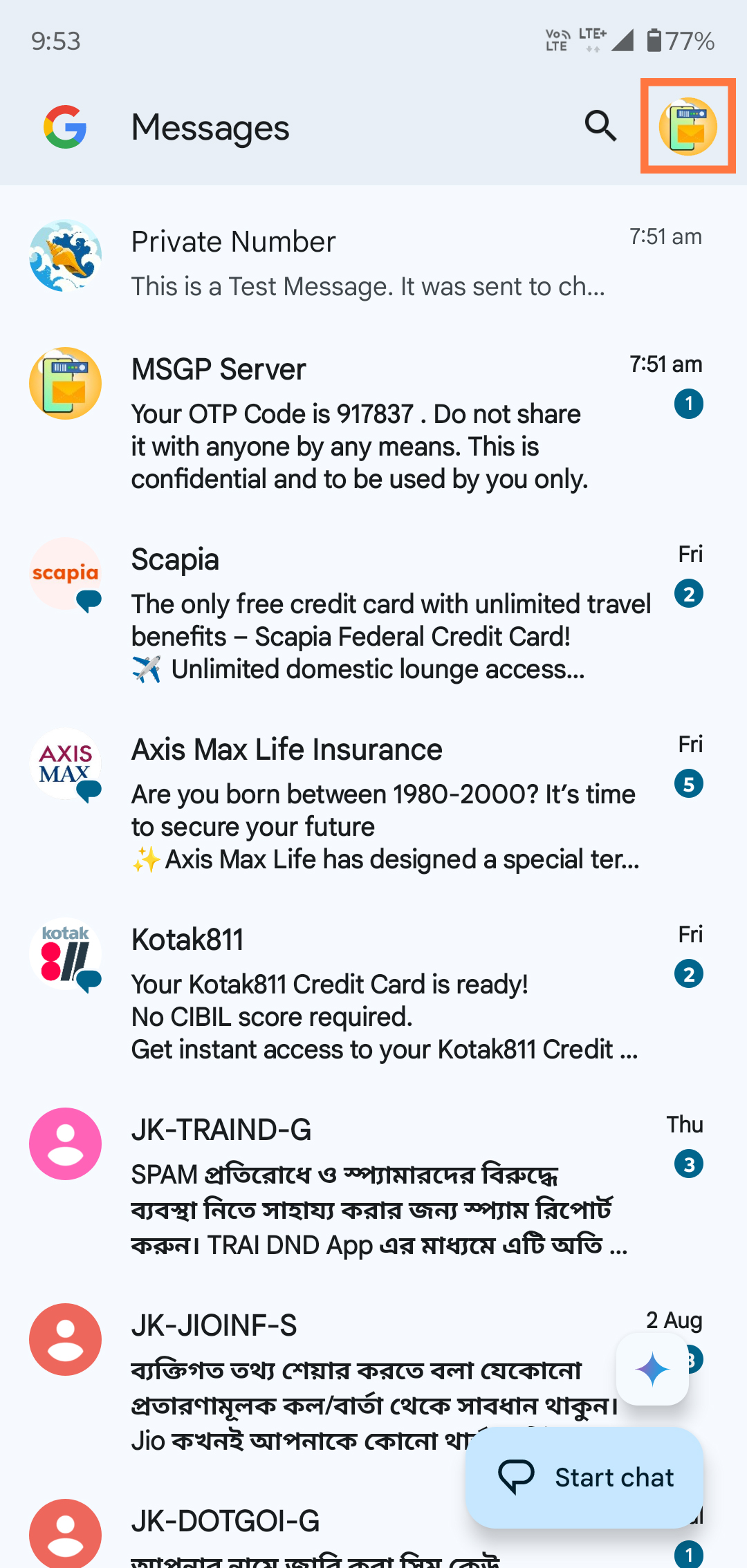
[1] Open the Messages app (Google Messages) on your Android phone.
[2] Tap on your profile icon in the top-right corner.
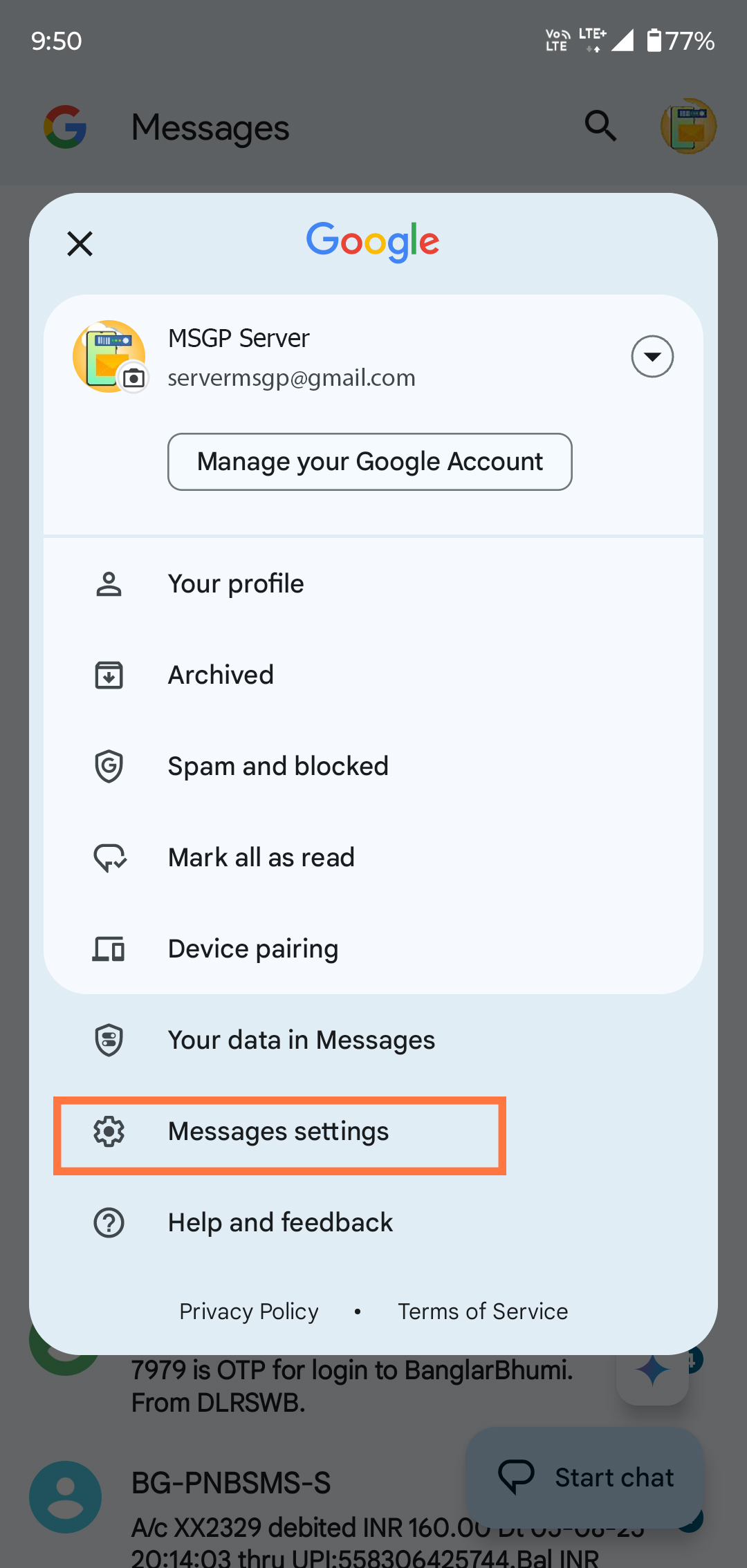
[3] Select “Messages settings” from the menu.
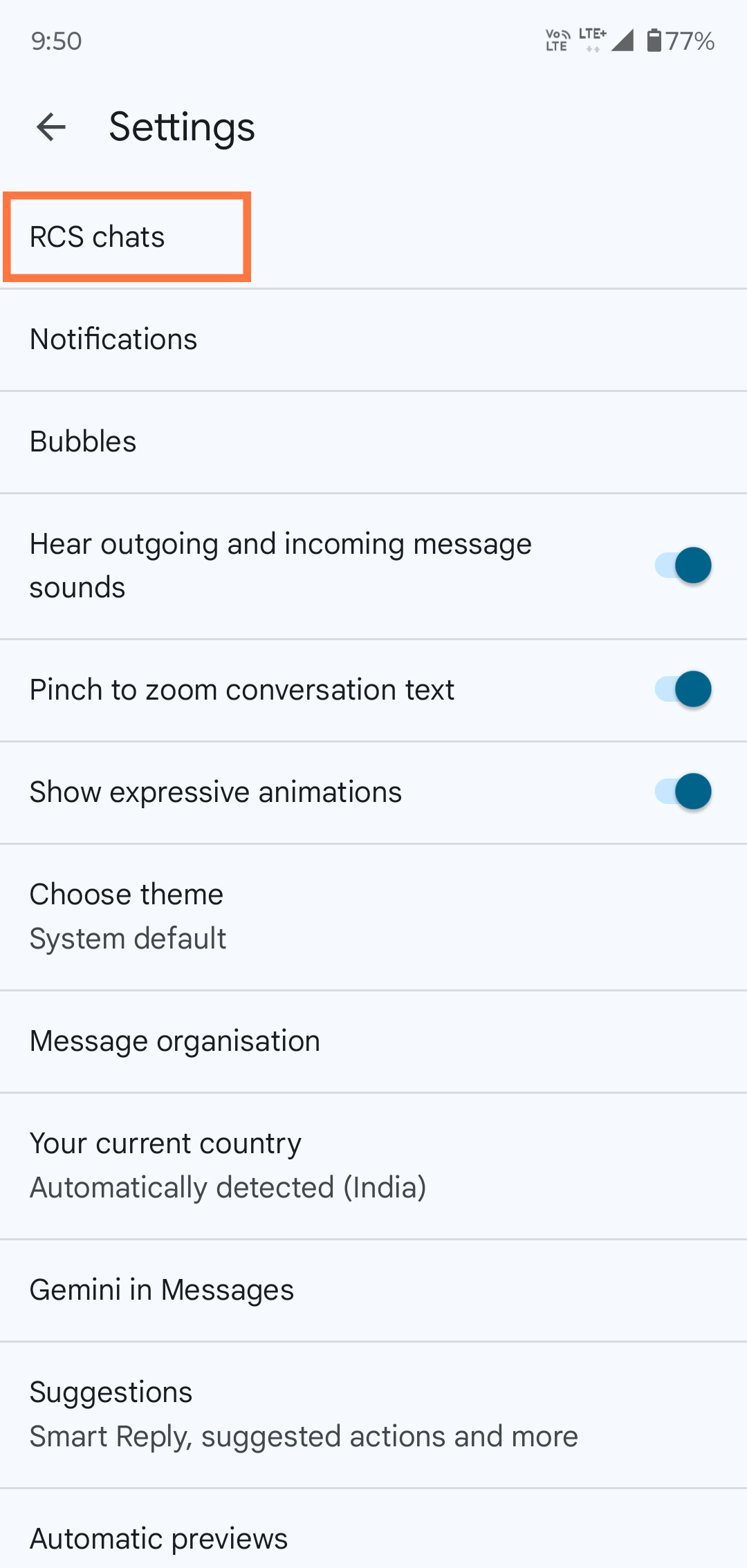
[4] Go to "Chat features" or "RCS chats".
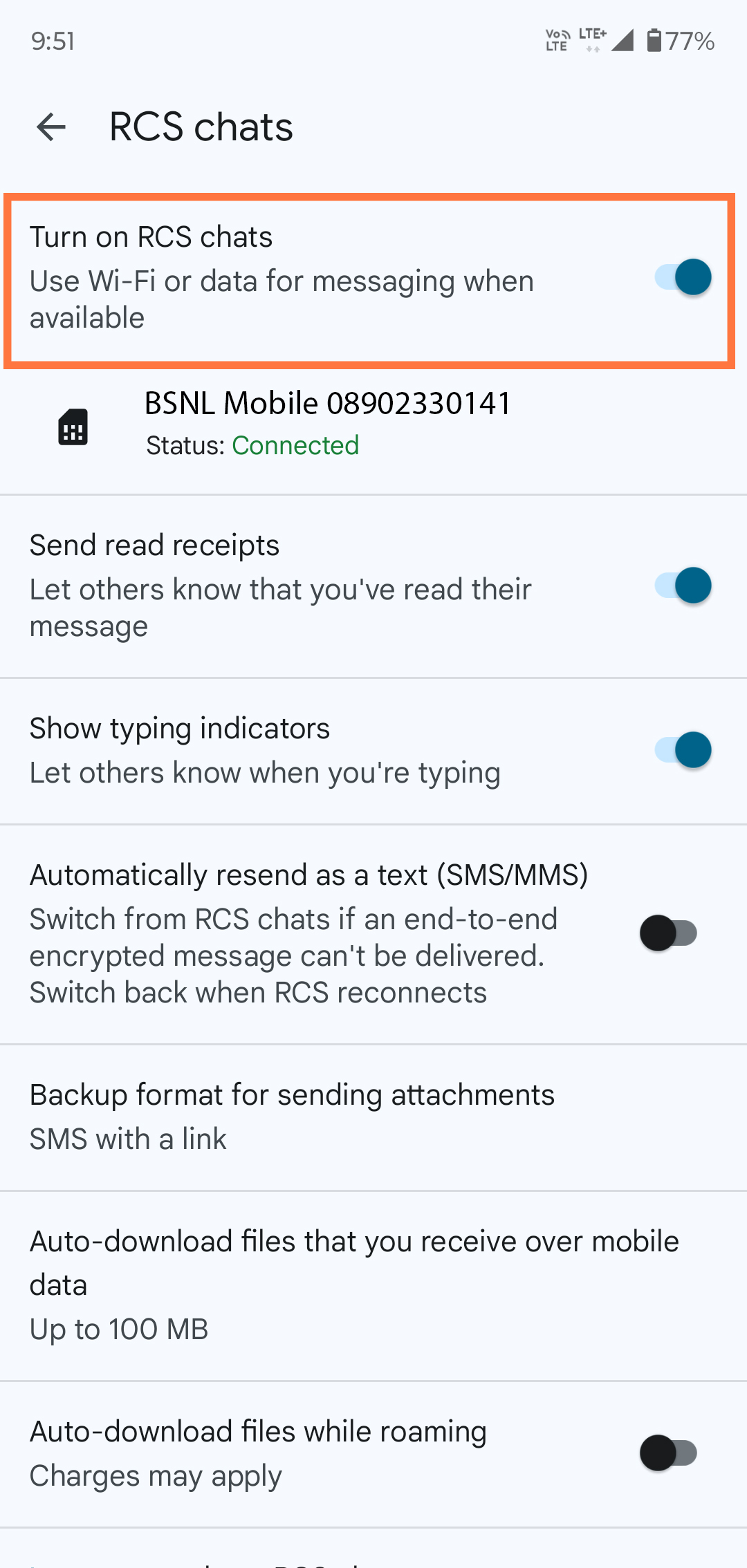
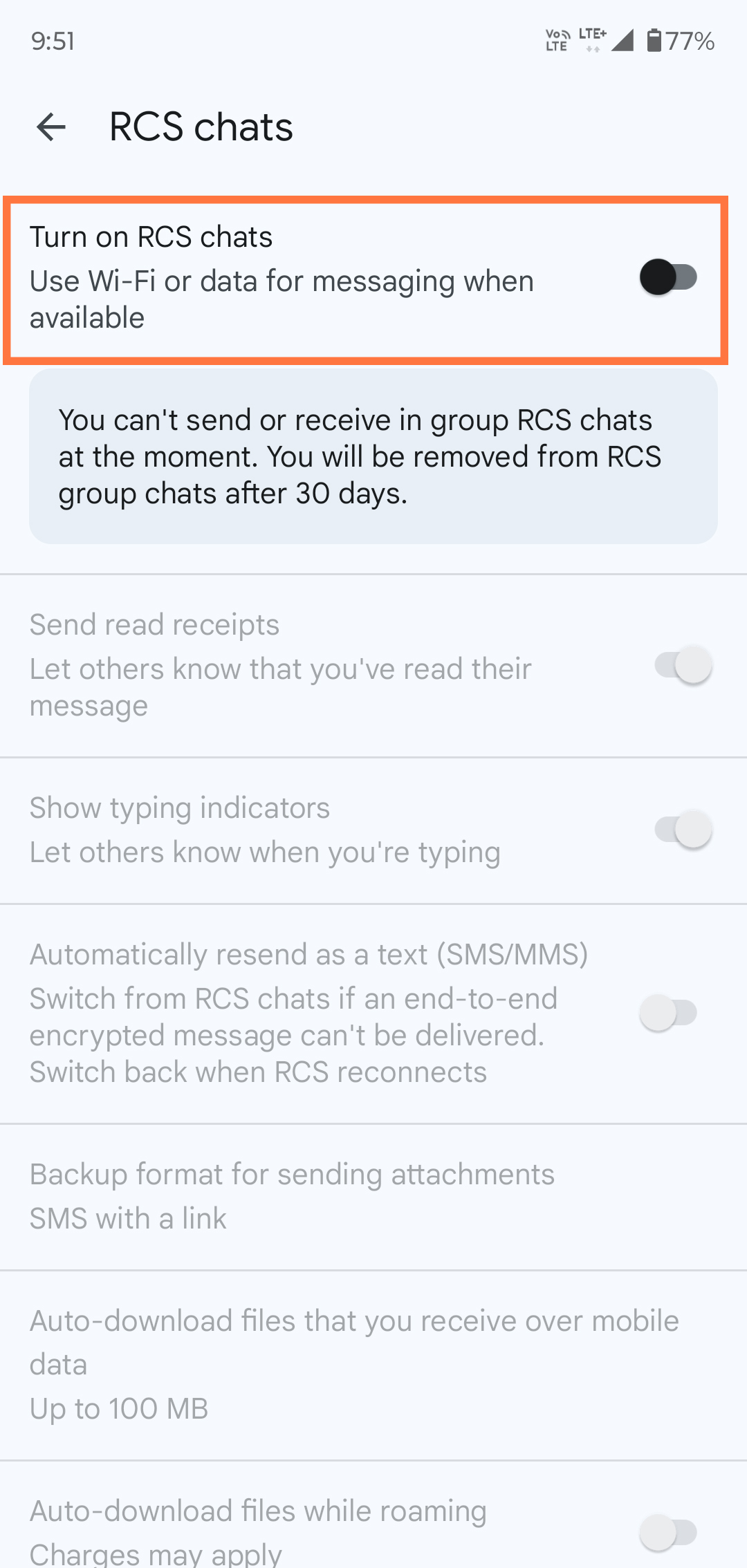
[5] Look for the toggle named "Enable chat features" or "Turn on RCS chats".
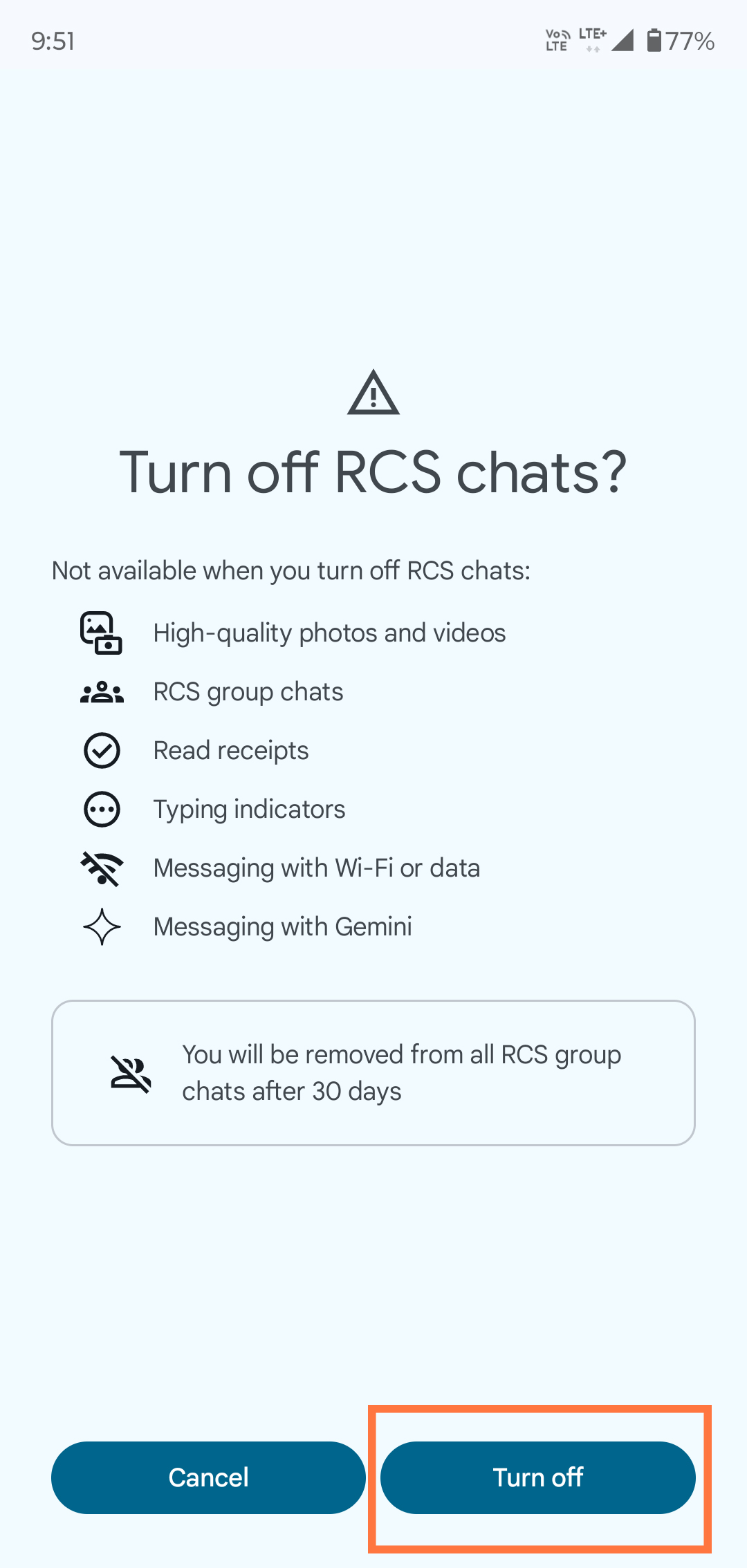
[6] If it’s Turned ON, swipe the toggle to Turn it OFF.
[7] Once disabled, your phone will automatically use regular SMS/MMS for sending and receiving messages.
💡 Tip: Before switching phones or SIM cards, disable RCS to avoid delivery delays. This ensures that third-party apps send messages via standard SMS/MMS without being blocked by RCS.